Buy from Suruga-ya via Neokyo
Neokyo Proxy service from Japan. We used them multiple times. If you look for second hand items from Suruga-ya they have a direct integration. However, you can use other proxy services with Suruga-ya too.
Be aware that you have to pay for the item itself as well as handling, shipping fees and eventually import taxes in your country. This means you have to pay at least two times on Neokyo and have to be aware of your local regulations for imports.
Contents
This Article describes the following steps:
- Step 1 Summit a Buy request
- Step 2 Pay the Item (First payment for item and handling)
- Step 3 Item gets delivered to Neokyo warehouse
- Step 4 Prepare Item for shipping (packing)
- Step 5 Create a shipping request (Second payment handling and shipping)
- Step 6 Shipping (optimal taxes )
Please note that this separation step gives you more flexibility, for example you can order multiple items in Step 2 and then collect them into one Shipping request.
Step 1 Summit a Buy request
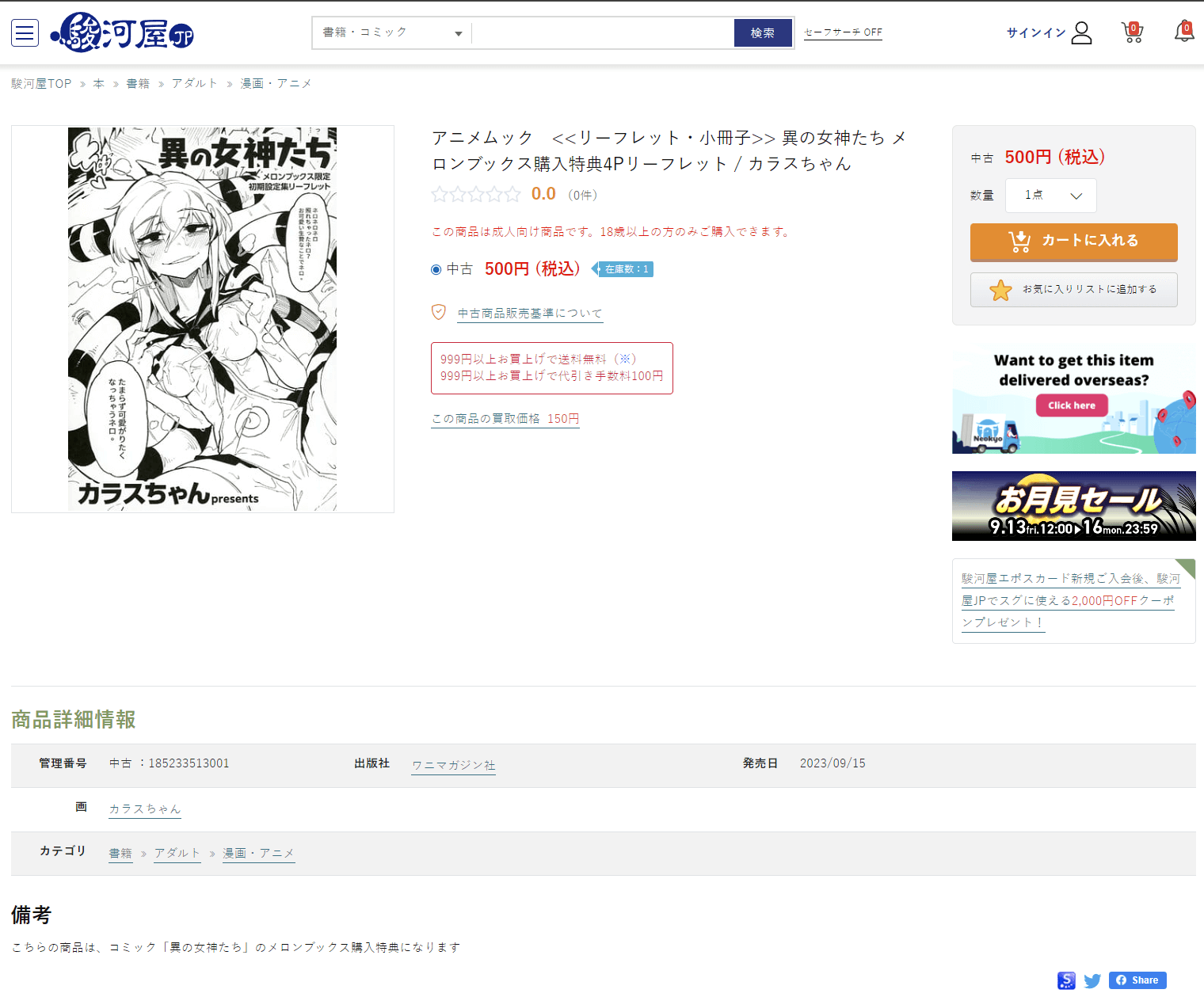
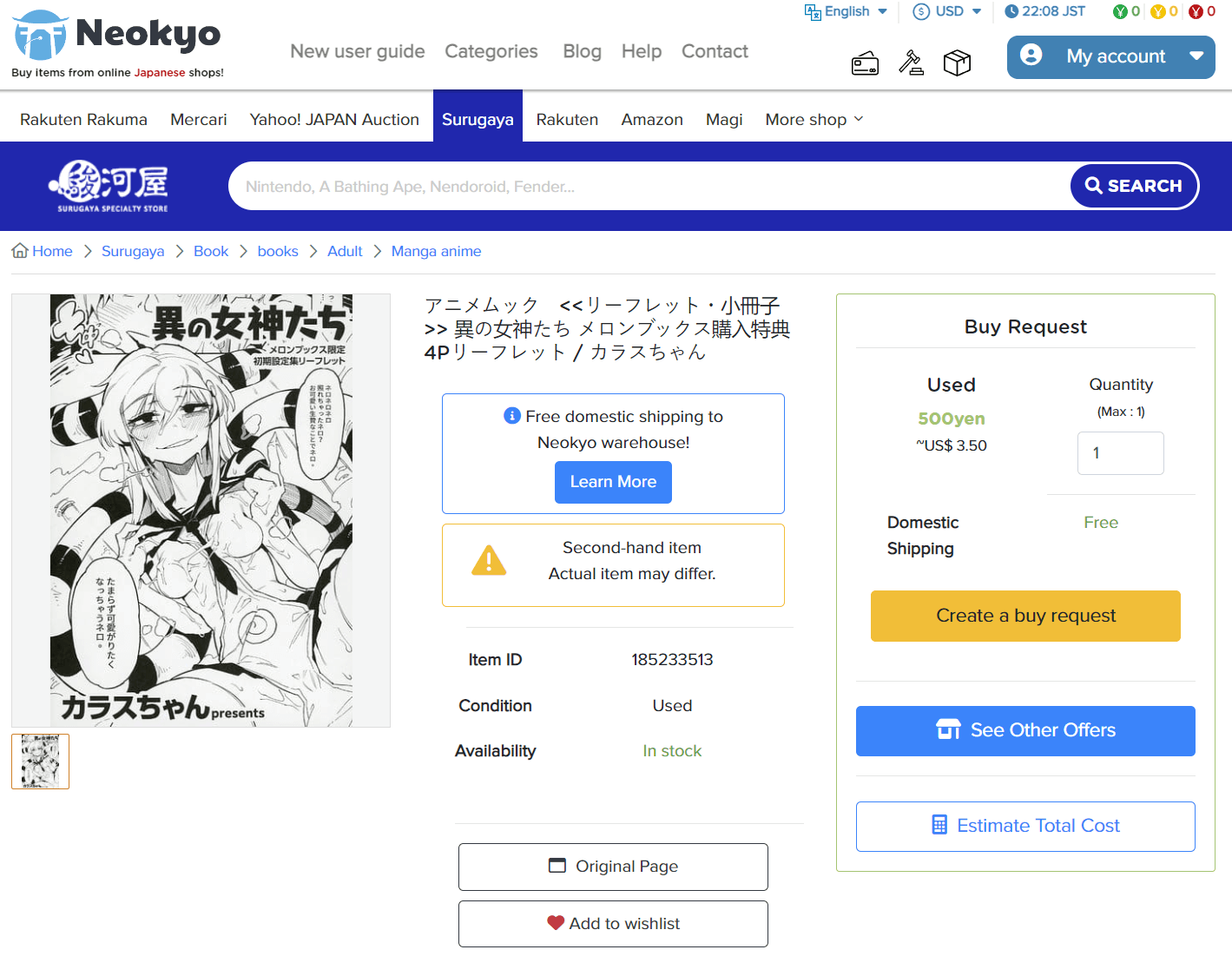
Let's start on the Item you want to buy. Lucky Neokyo is directly integrated with Suruga-ya so you can simply click on the right side on [Want to get this item delivered overseas? Click here]
Then you will see the article in the Neokyo preview. However, you may have to login / register to continue with the purchase. As you see can see you don't need a Suruga-ya account, a Neokyo account alone will be sufficient to make your purchase.
After the login you can [create a buy request]. Neokyo will ask for an additional fee. After you [confirm] the Buy request will be submitted.


Step 2 Pay the Item
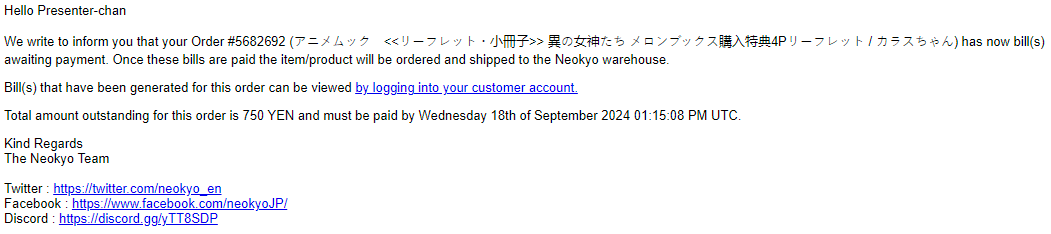
Neokyo will check if they can execute the purchase for you. If it's successful they will send you an E-Mail telling you that the order can be executed if you pay.
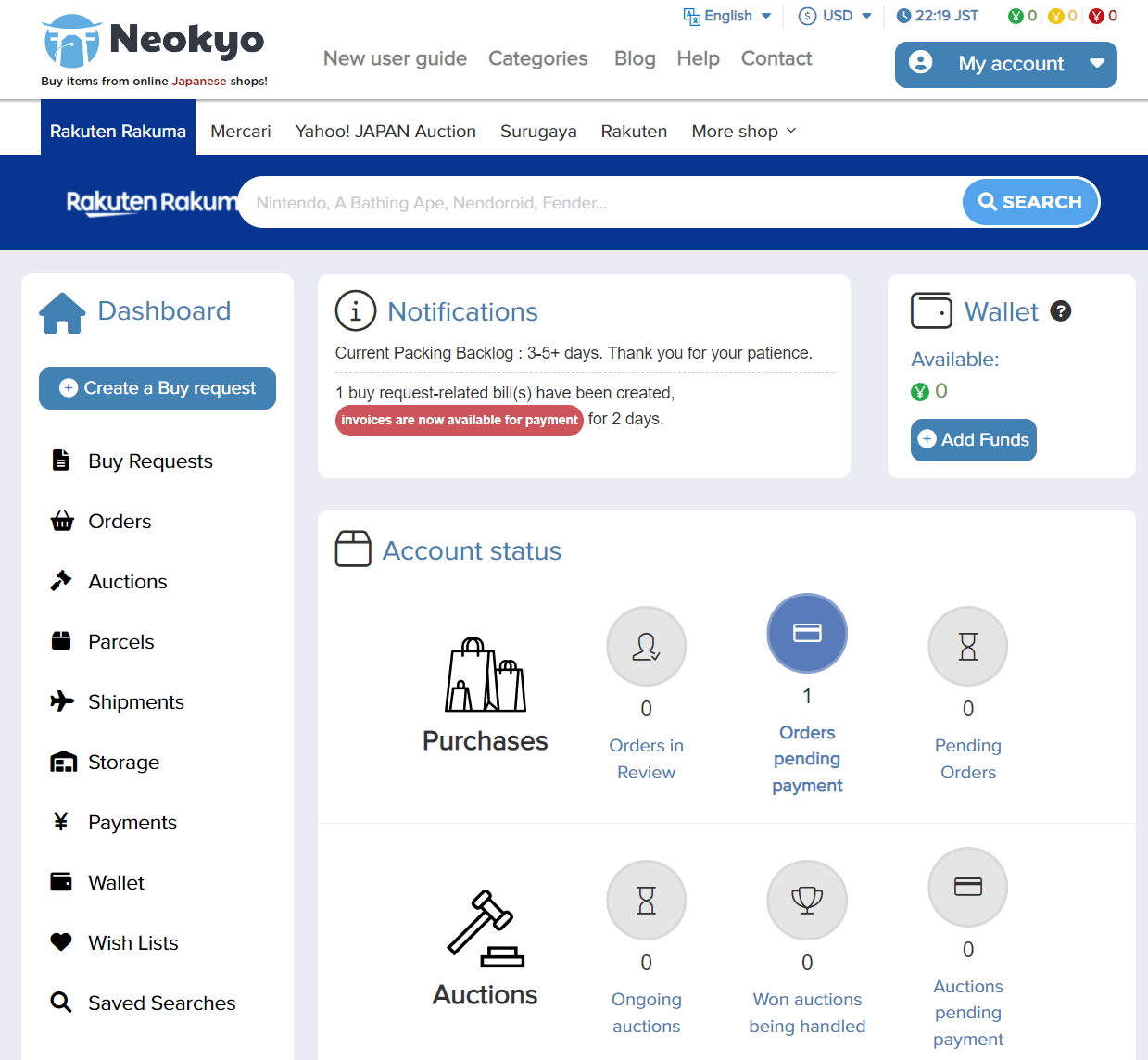
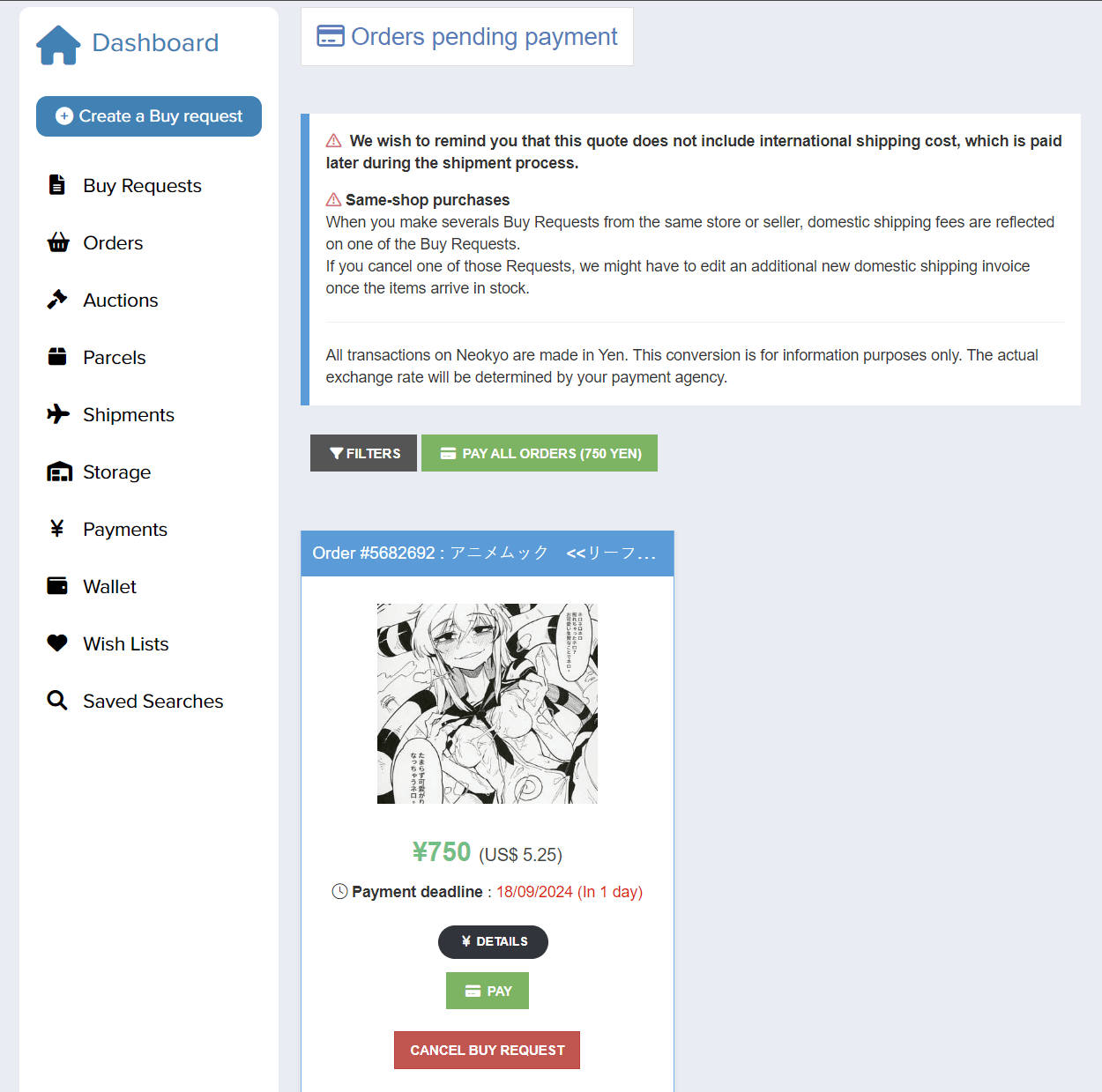
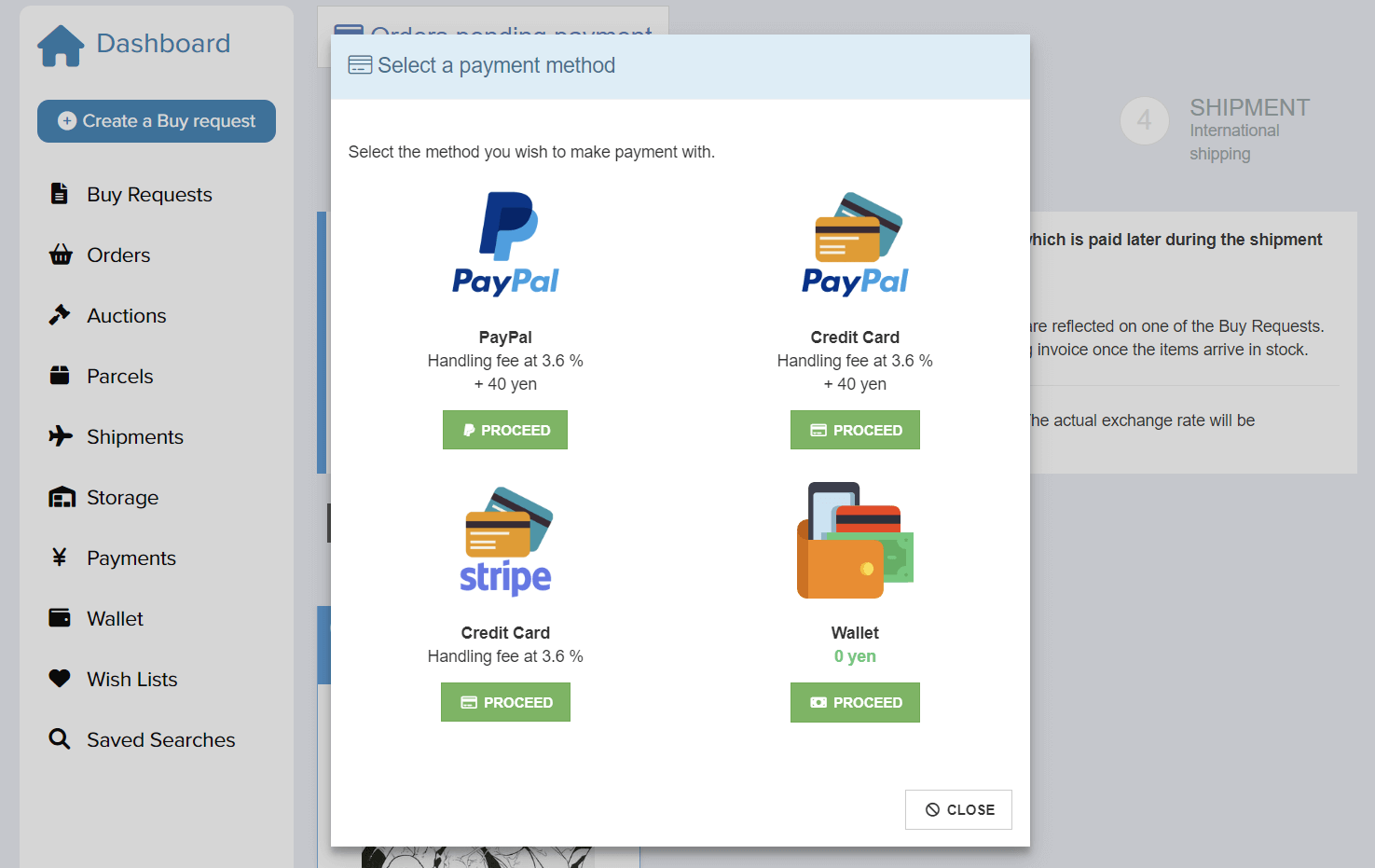
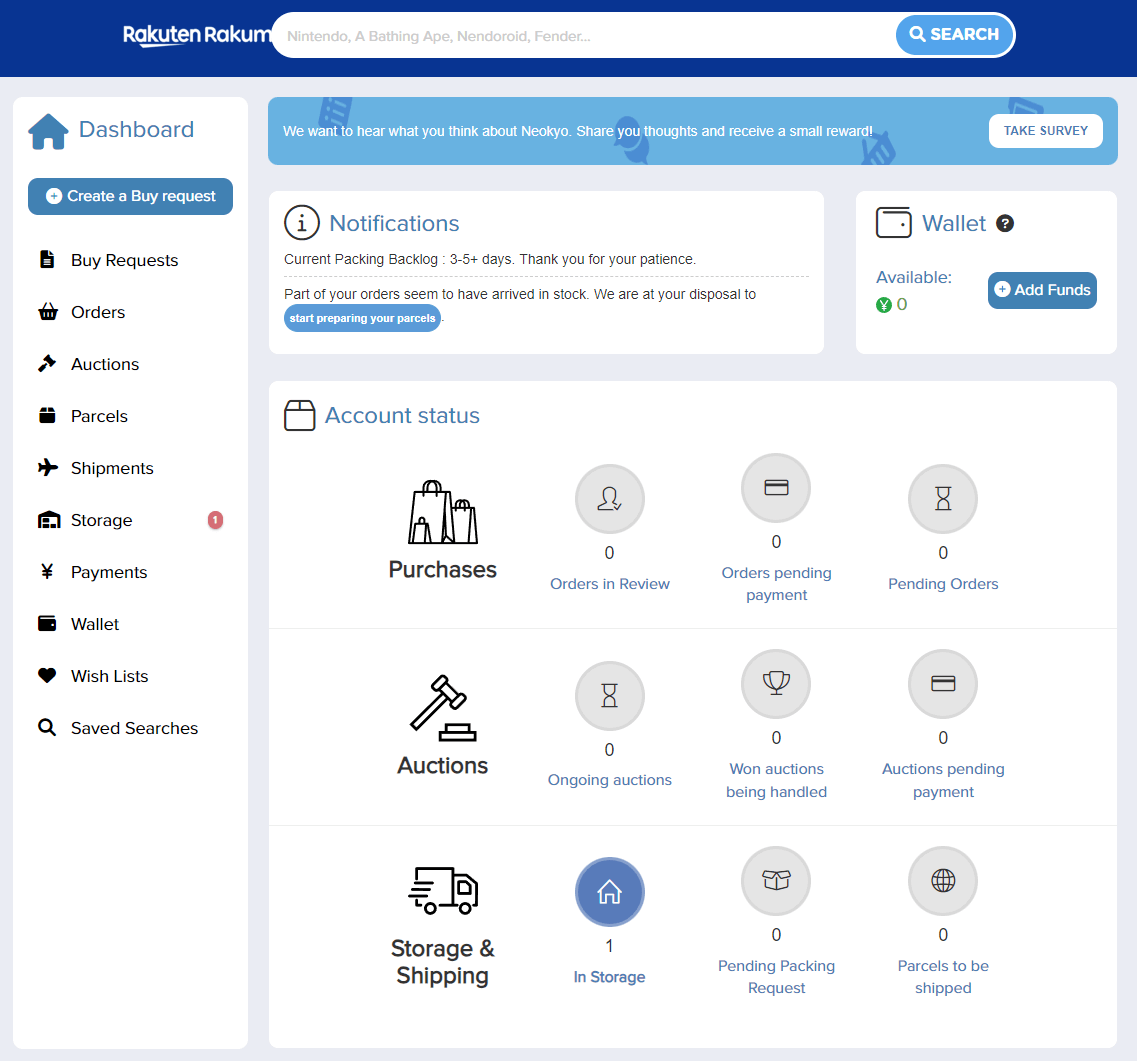
Log in on Neokyo and check the [Orders pending payment] section. You should be able to see your request with a [Pay] option.
We mostly used Stripe but you can also use PayPal as an alternative.
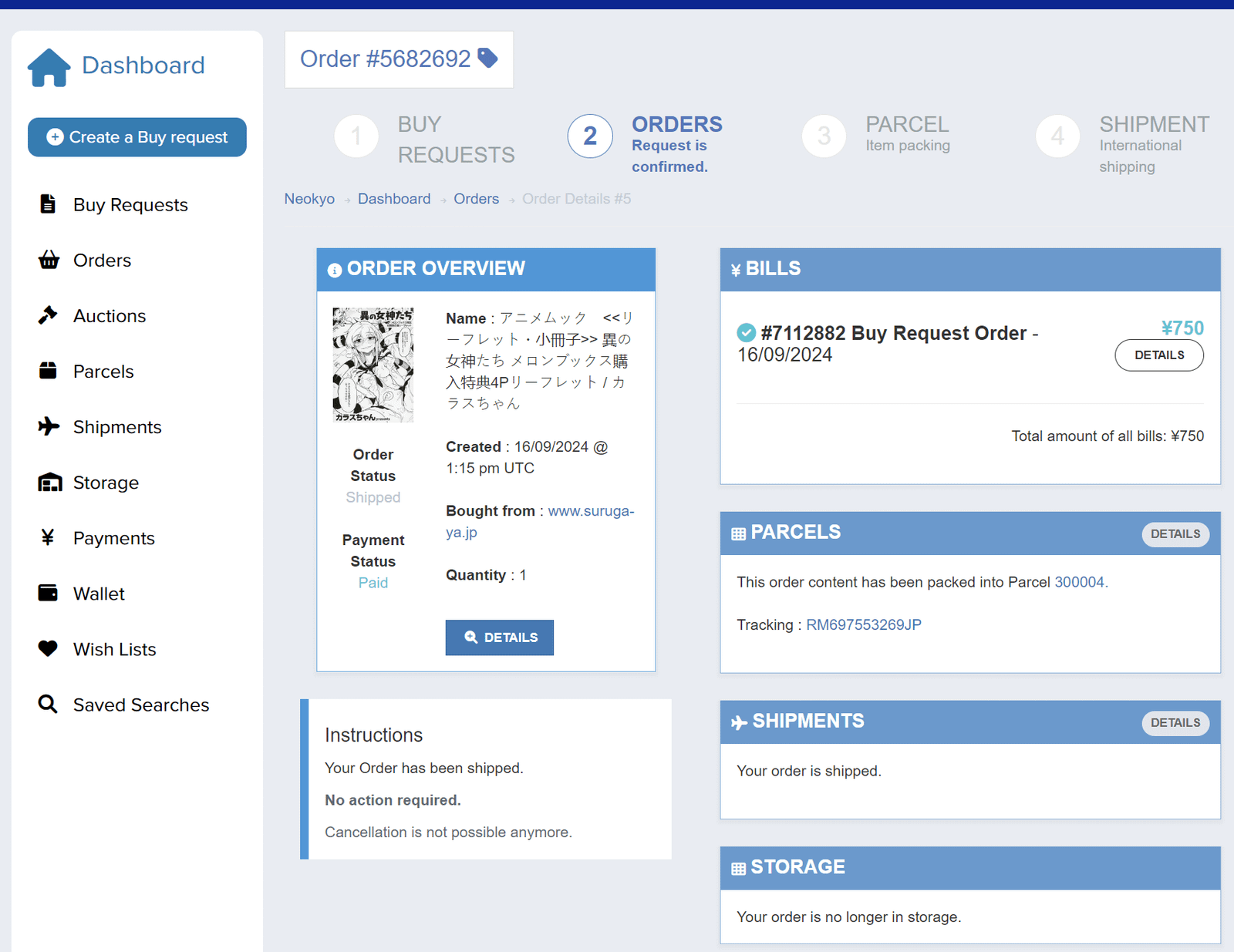
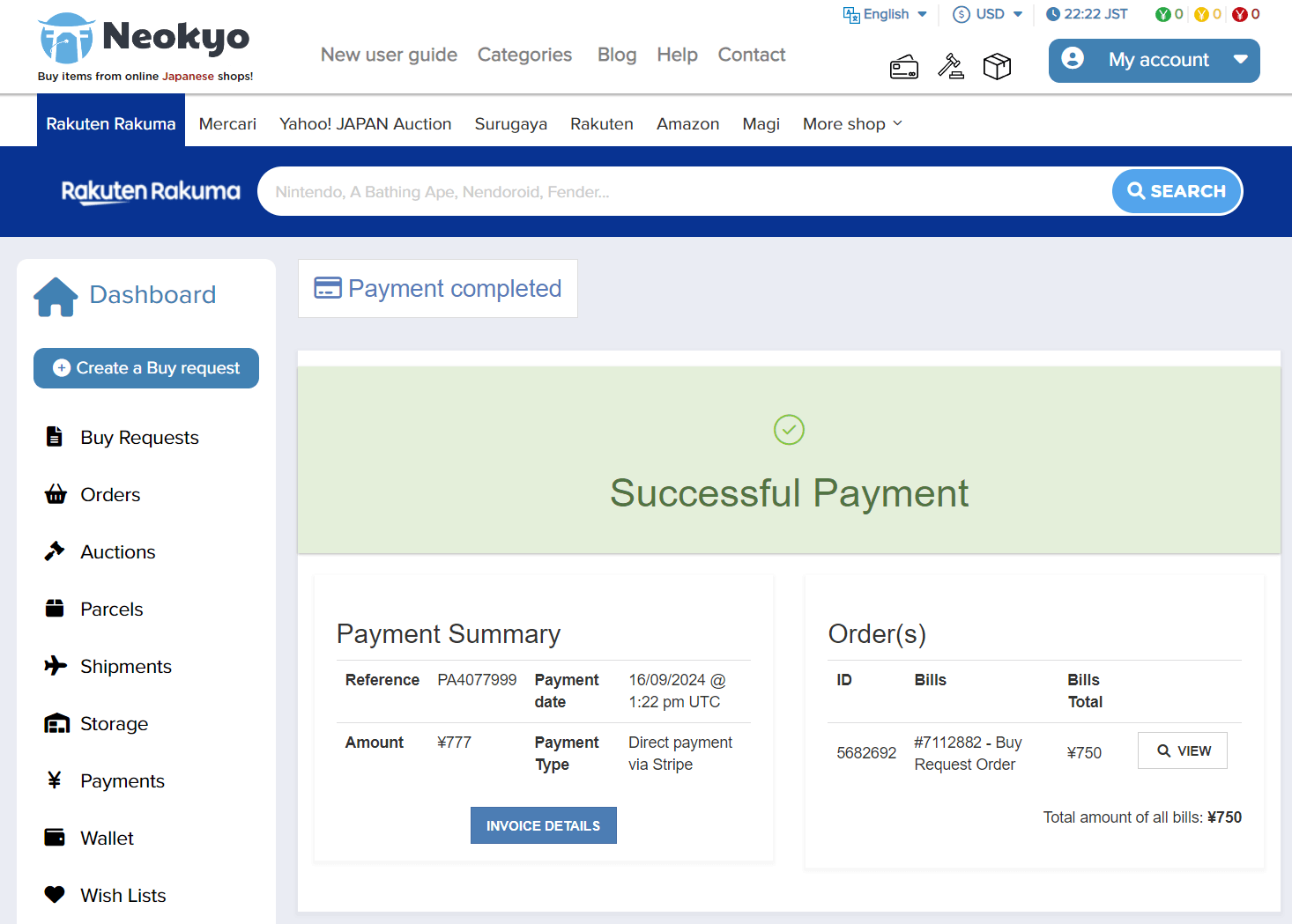
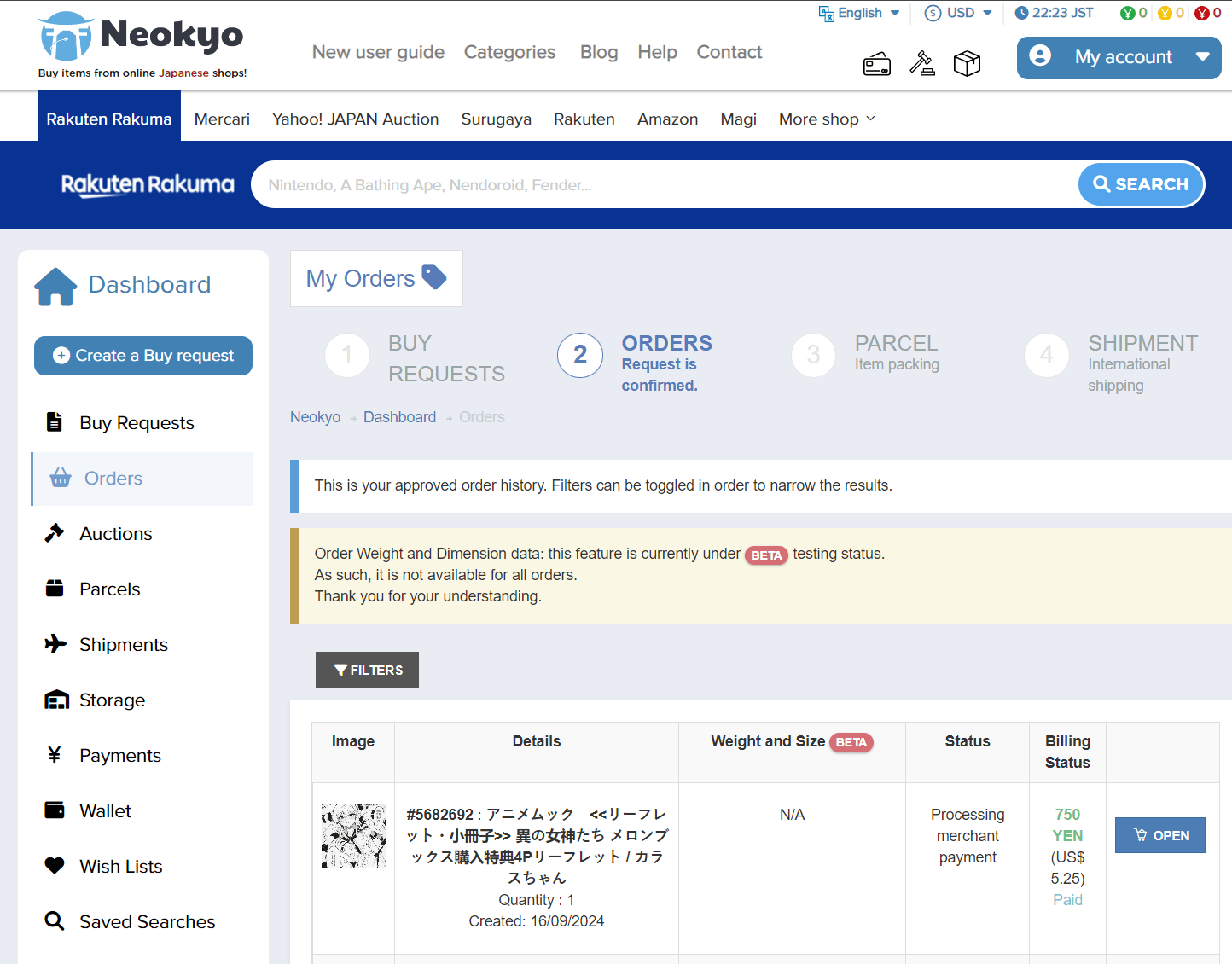
You should see in the summary that your payment was successful. In the orders section your item should show up as paid too.
You should also receive an E-Mail in the next few days that Neokyo expects a delivery of your item in their warehouse.
Step 3 Item gets delivered to Neokyo warehouse
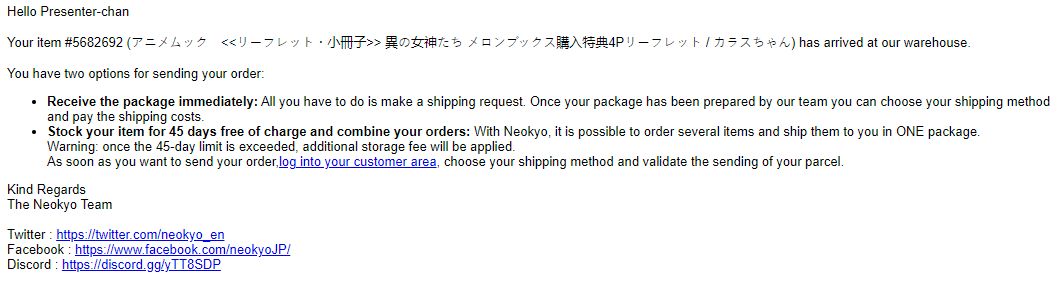
With another E-Mail Neokyo will inform you that the item arrived at the warehouse.
You can collect multiple orders to send them later in one package. When you get an item that usually includes some free of charge storage time. However, we will continue with one Item in this example.

Step 4 Prepare Item for shipping
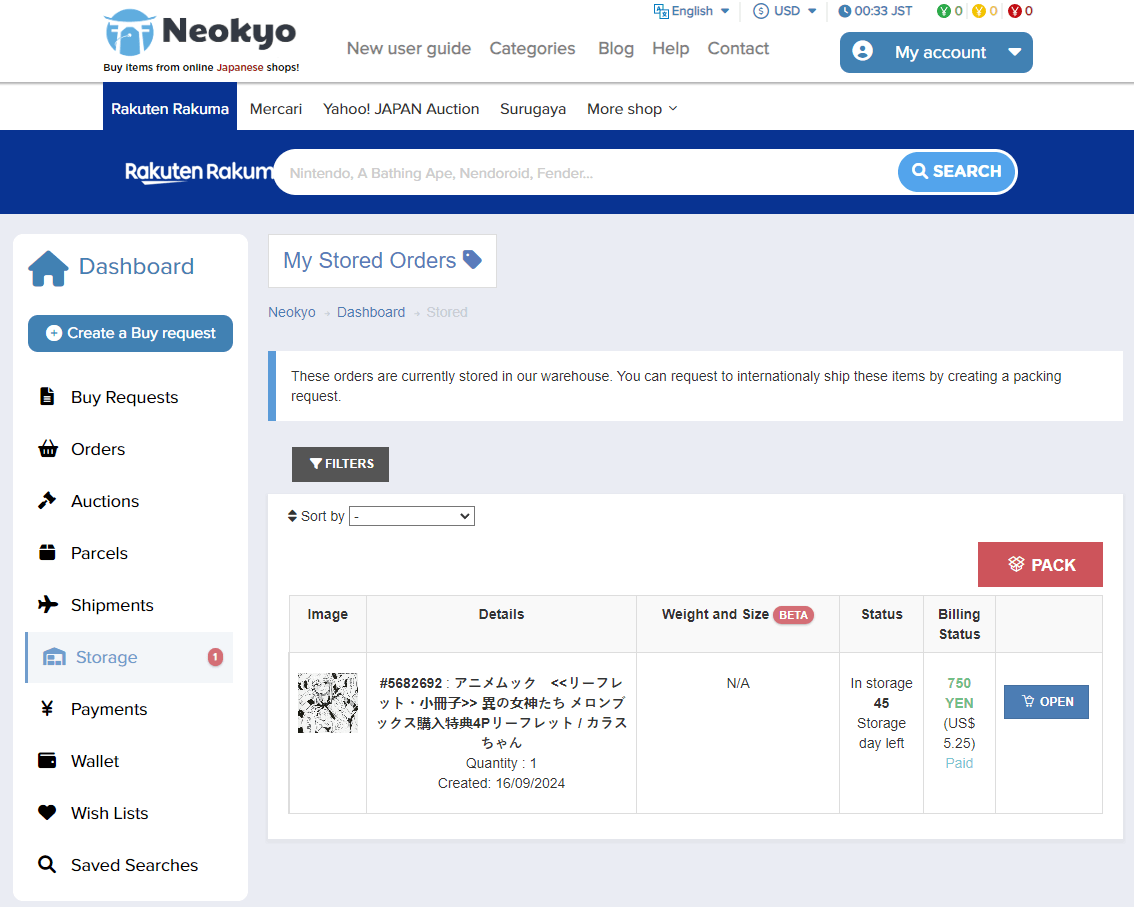
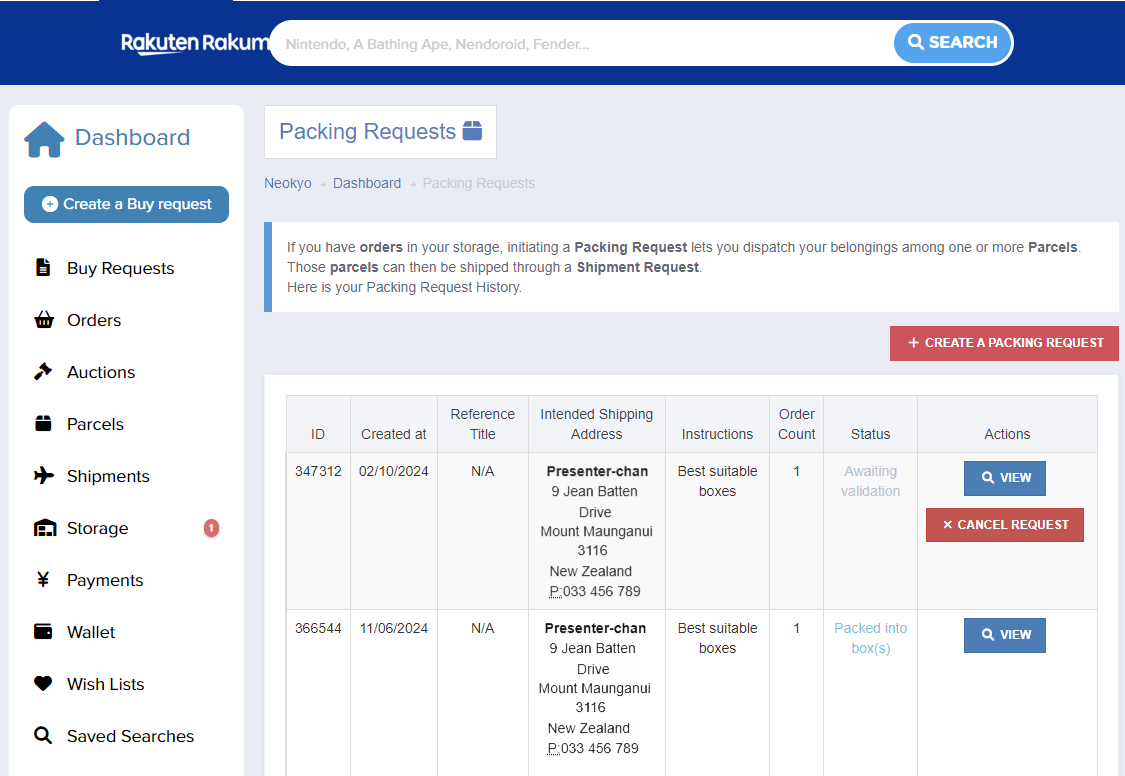
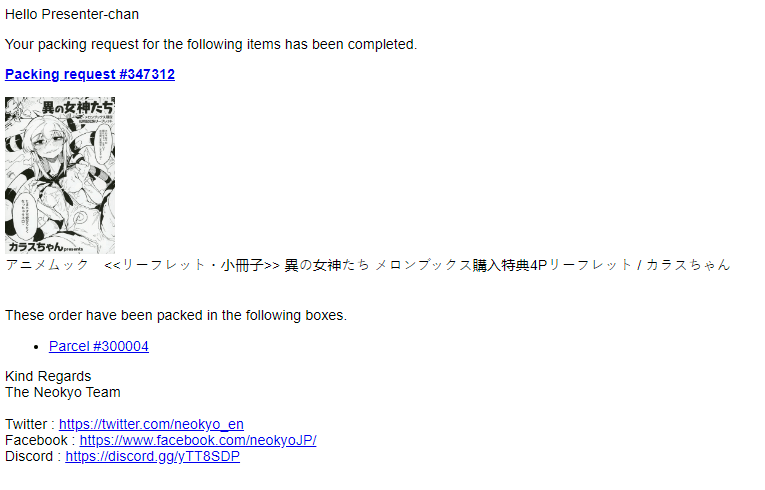
After login in you can see your item in the [In Storage] section. On this page you can request the Items to be [Pack]ed.
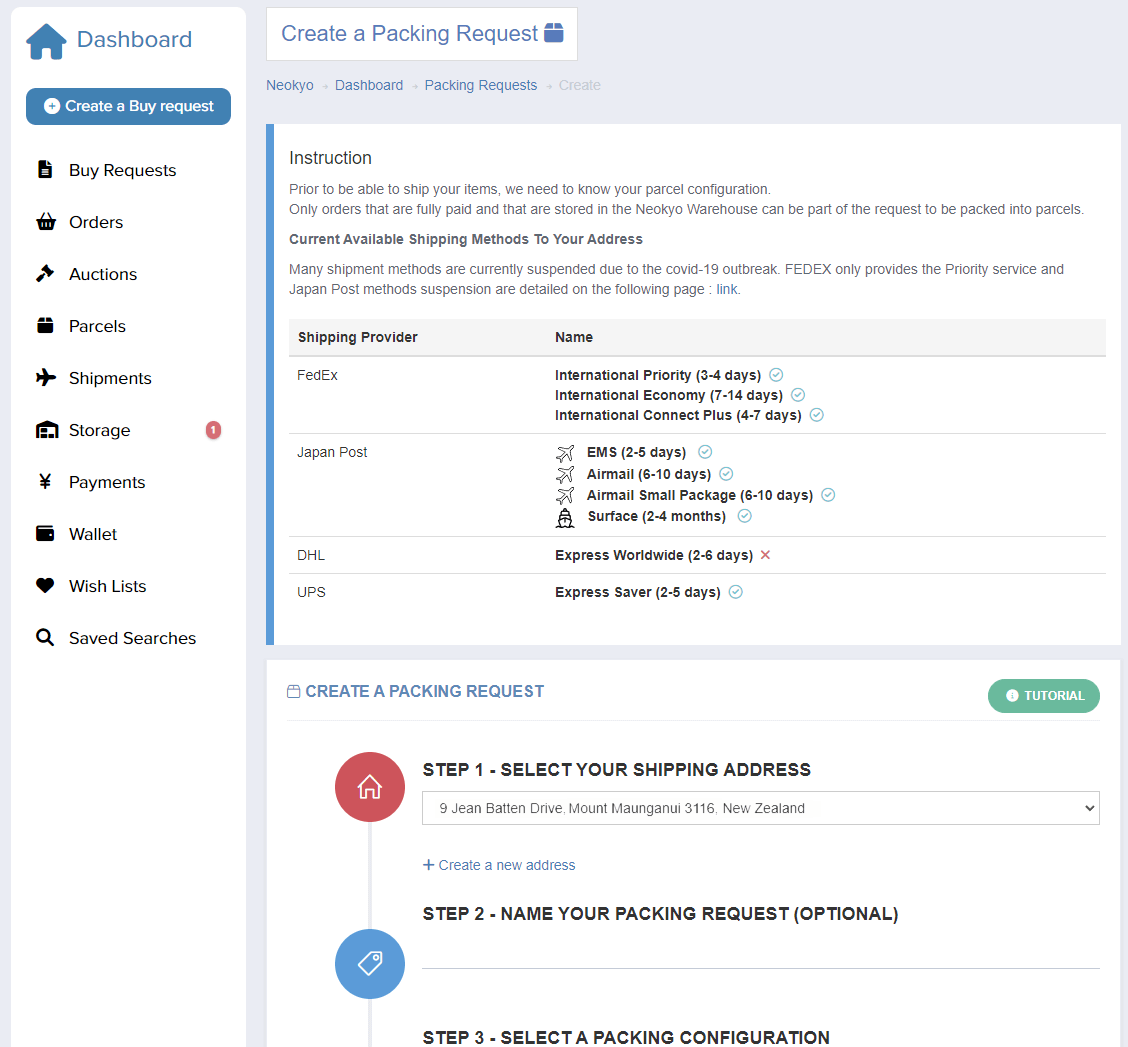
Create a packing request and add your address.
Don't forget to add all your Items to the Order in the last step and press [Confirm].
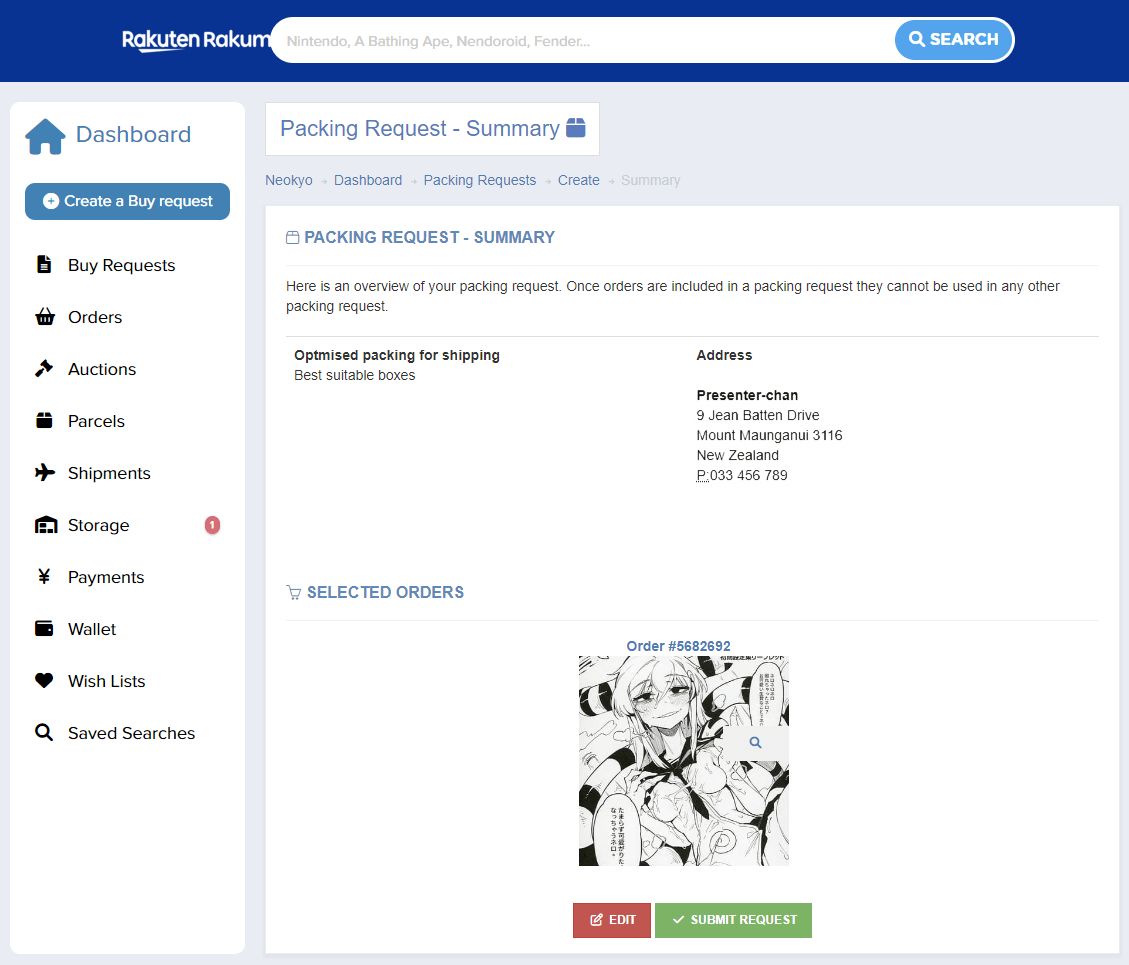
After you finish you will see a summary and need to [Submit Request]
Step 5 Create a shipping request ()
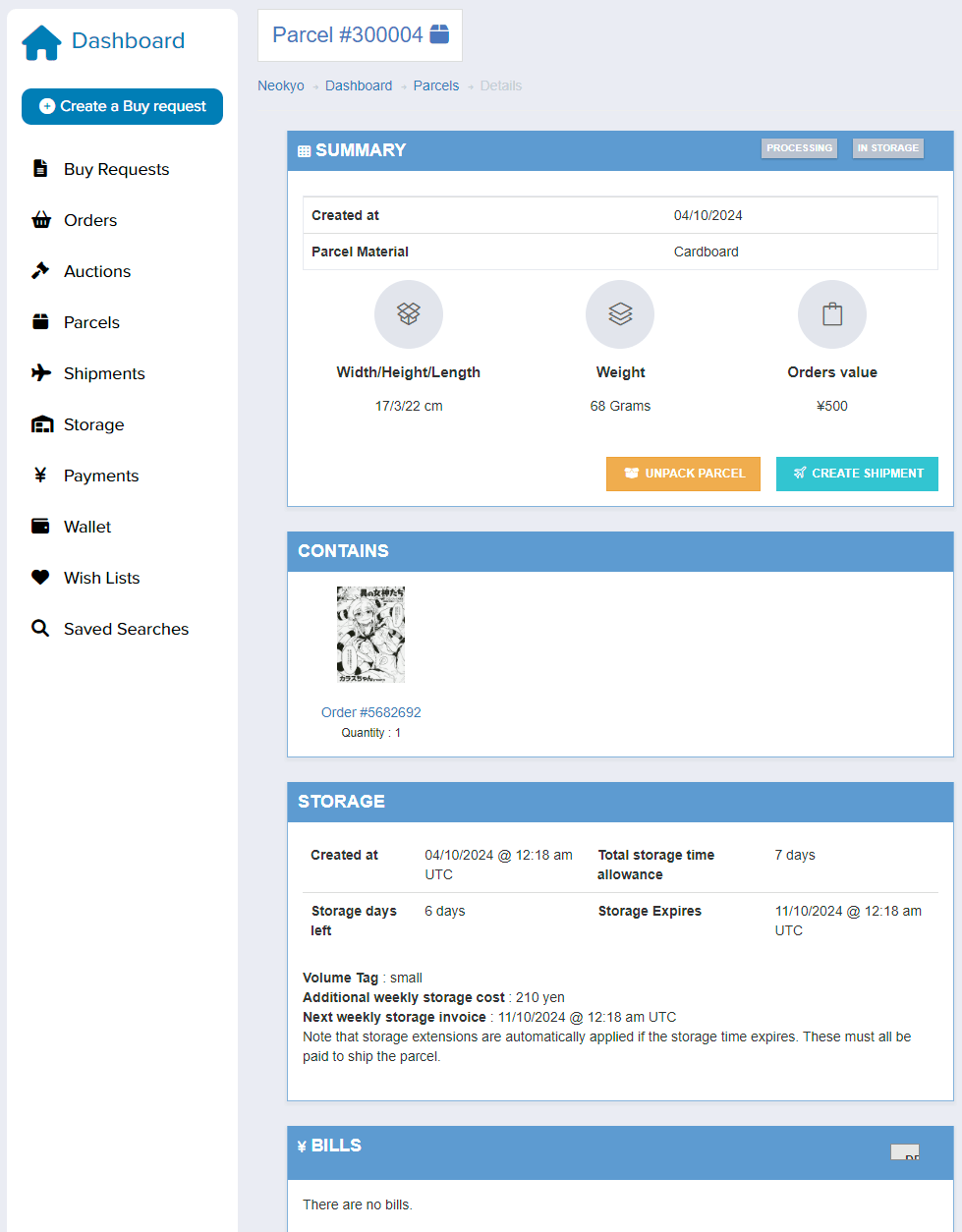
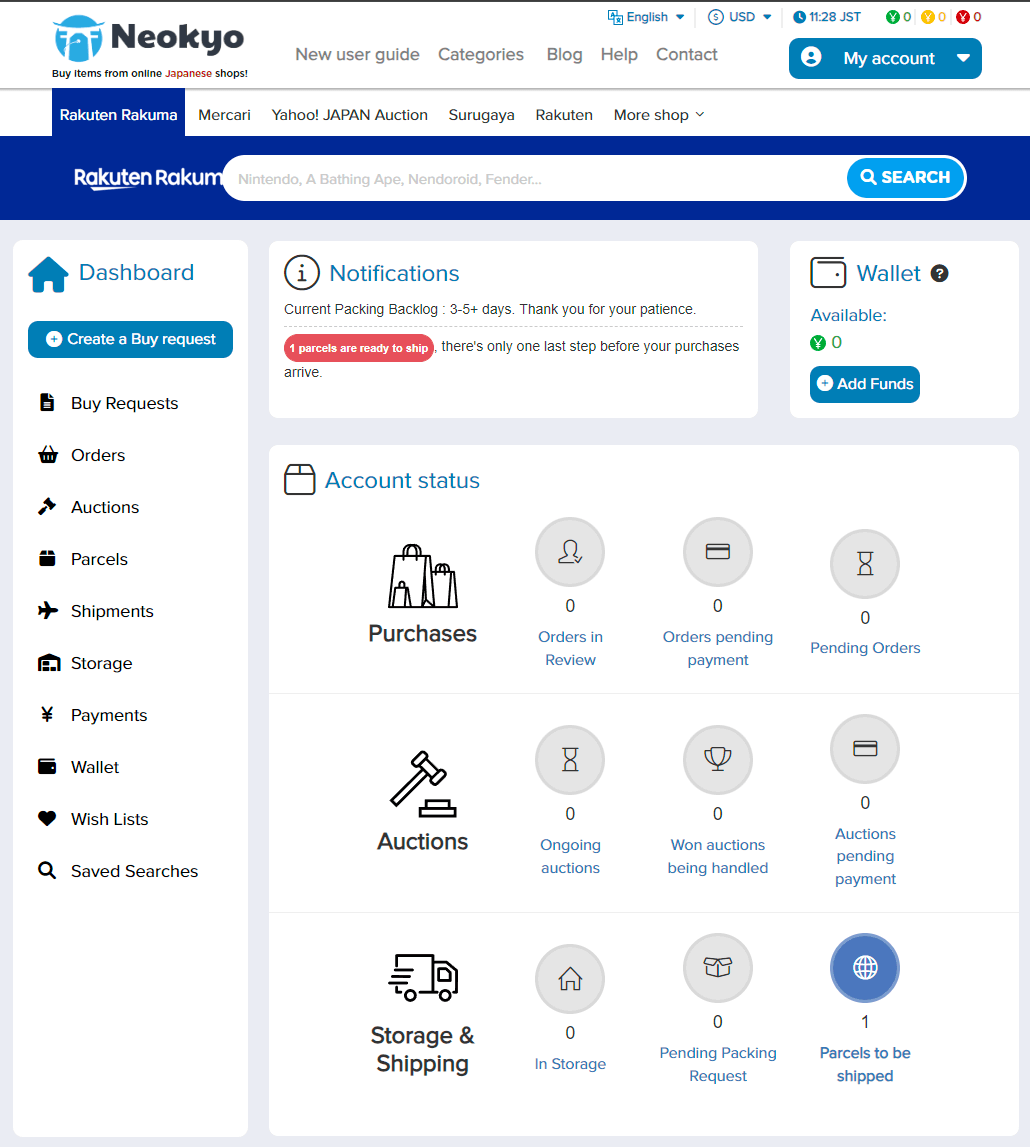
After your package is created it shows up on the [Parcels to be shipped] section.
You have the possibility to unpack parcels if you want to recombine them. But we will continue with the Shipment.
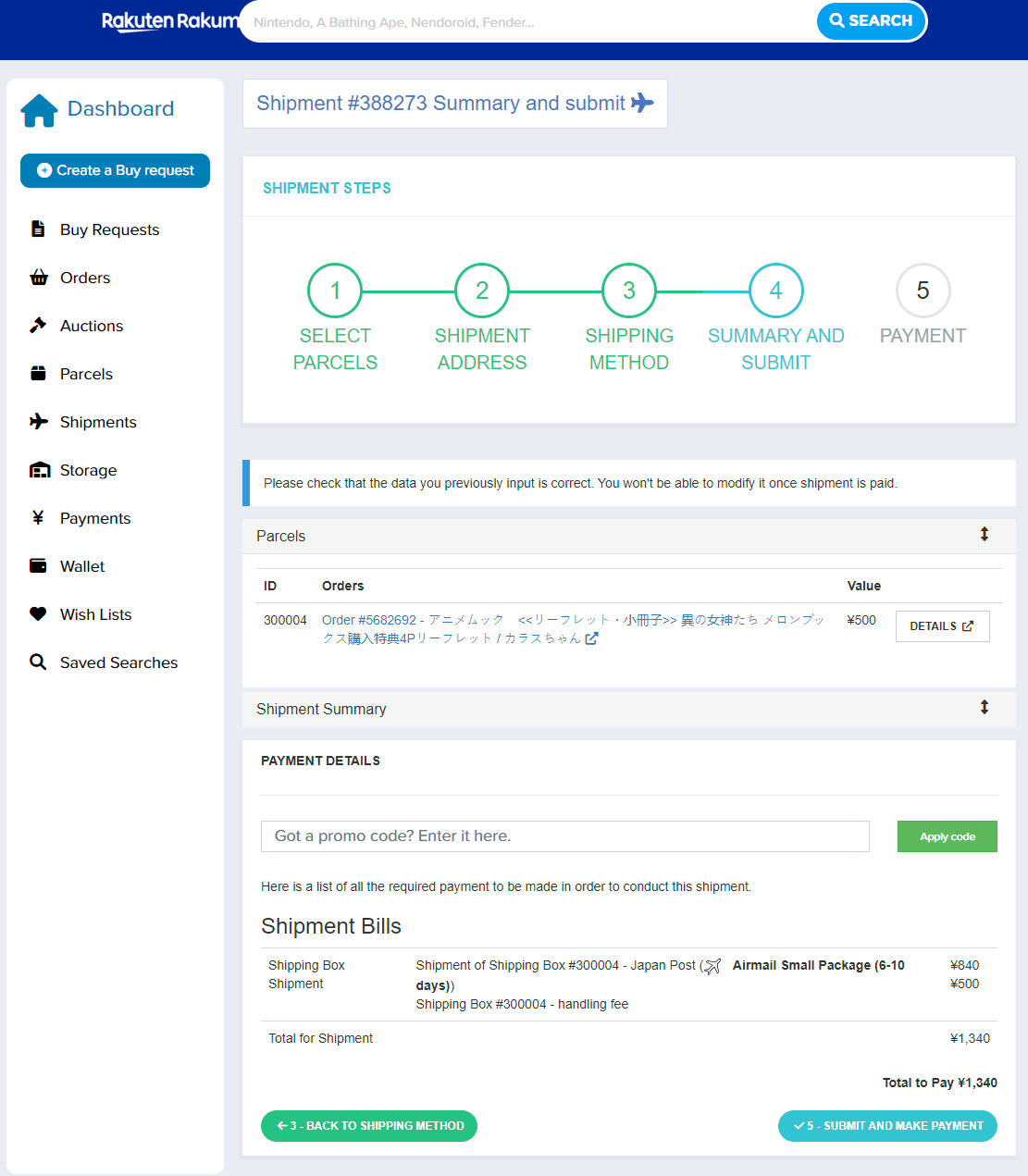
Fill out the 5 steps:
- Click [Create shipping]
- Add/ select your address. Then [3 To Shipping Provider]
- Select shipping method. In this example we use JP Post [4 Summary and Payment]
- Check your Data and [5 Submit and make Payment]
- proceed with the [ payment]
After you finish you should get an overview that your shipment is paid but not shipped yet.



Step 6 Shipping (optimal )
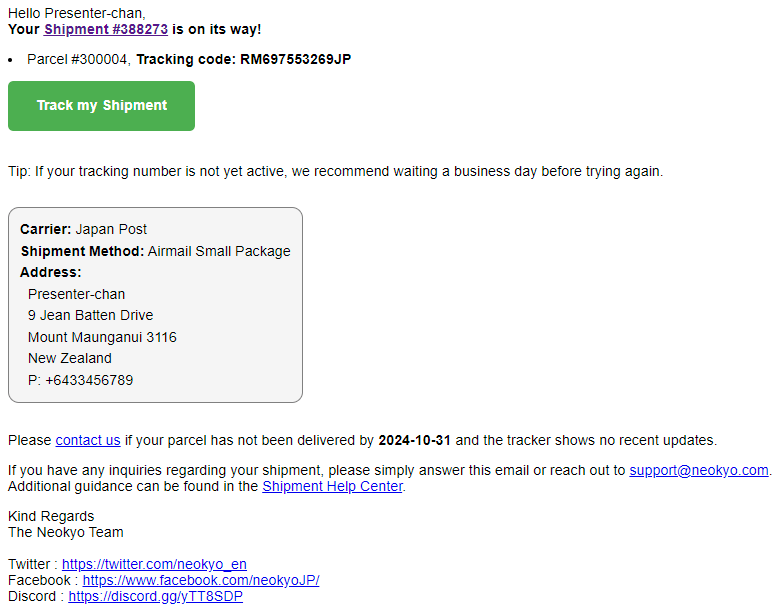
You should receive an E-mail in the next few days that your shipment is on the way. In the E-mail is a button to track your shipment. The tracking number can also be seen on the orders overview page of Neokyo.
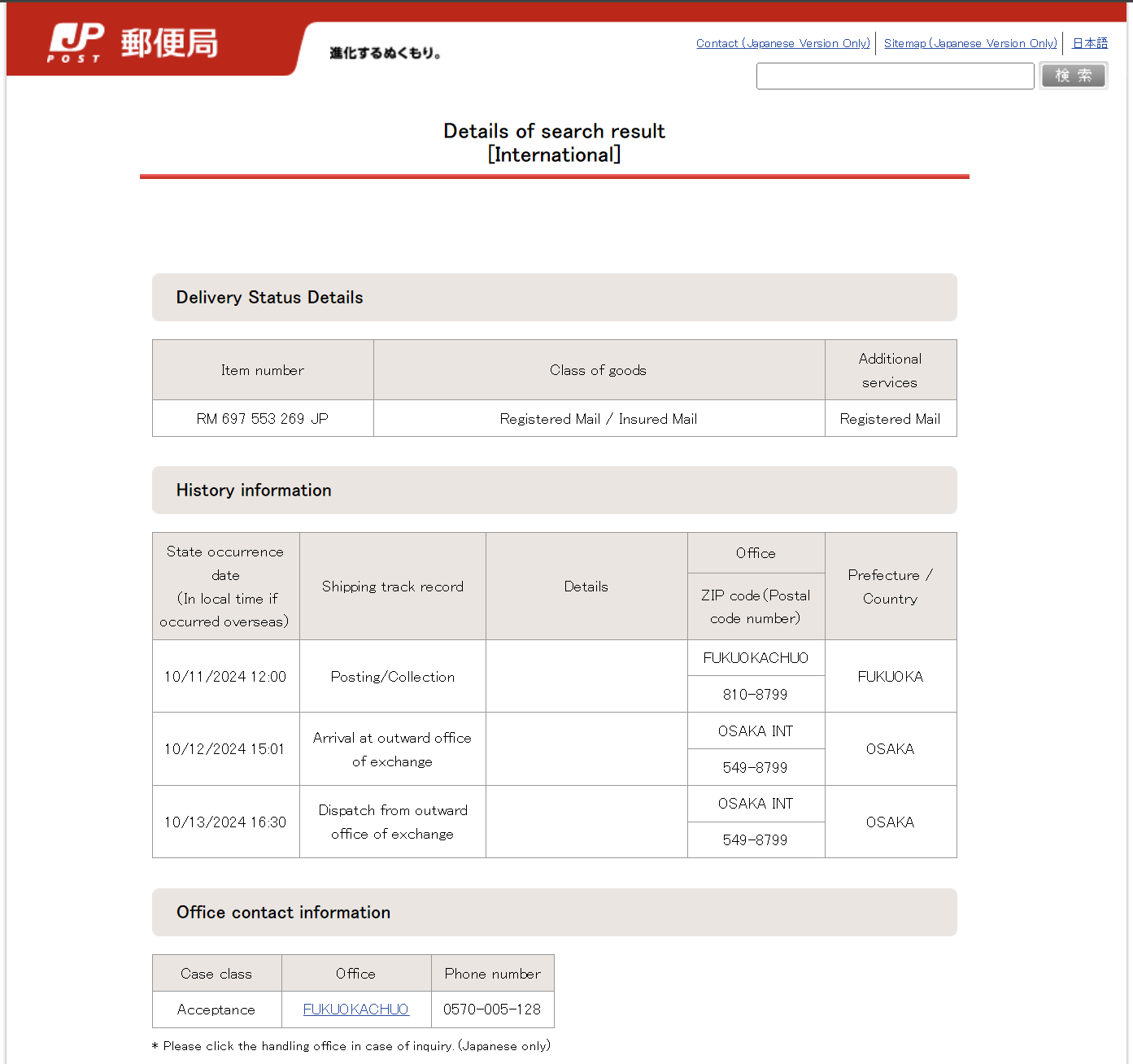
We strongly recommend checking the tracking, from time to time. Your country might require you to pay addental import taxes. This will be depend on your destination country. Via the tracking you may be able to identify if your parcel gets halted and what steps need to be taken to get it delivered.
Of course, this means that Neokyo will include a list of the included items on a pouch outside of the package. Interesting to note, in our experience they will describe the products quite neutral. So, you may have descriptions like used Comic book, Key-chain, etc.